L o a d i n g..

One-Click Connection, Smooth Experience

Telegram logo with background
Facebook logo with background
Instagram logo with background
Pinterest logo with background
TikTok logo with background
WhatsApp logo with background

About Us

lets-VPN is a brand dedicated to high-speed, stable and secure global network connection services. We are committed to providing simple and reliable network acceleration and privacy protection solutions for individual and business users. With the product philosophy of "One-Click Connection, Global Access", we rely on worldwide high-speed nodes, intelligent routing algorithms and enterprise-grade encryption technology to create a low-latency, highly stable and reliable connection experience, allowing users to enjoy the internet securely in office, study, entertainment and cross-border scenarios.


Lightning Speed

Intelligent node selection, one-click instant connection, lower latency.

Global Coverage

Global nodes in multiple regions, fully meeting cross-border access needs.
Learn More
lets-VPN Usage Image
lets-VPN Support Image
lets-VPN Effect Image 1
lets-VPN Effect Background

Better Support Worldwide

10,000+

Support Users

3000+

Premium High-Speed Servers

100%

Satisfaction Rate

150+

Countries & Regions Covered

lets-VPN Effect
User Avatar Jack Avatar Rack Avatar Tom Avatar
Ready? Let's explore something great together. Get Started Now
01

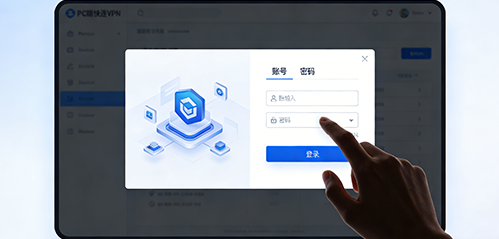
Download & Install lets-VPN, Log In

Show mobile/desktop interface with lets-VPN icon. Click to enter login page with account input, password input, and login button. Text below: Download and install lets-VPN, enter your account and password to log in easily.
Step 1
02

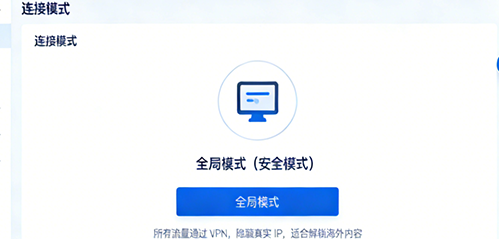
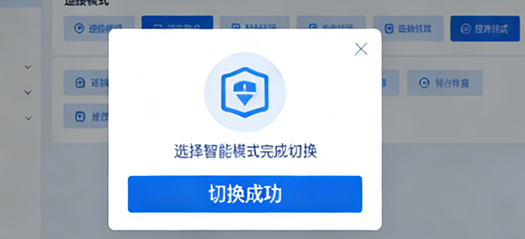
Select Smart / Global Connection Mode

Smart Mode (Speed Mode): Auto traffic split, domestic direct connection, overseas acceleration
Global Mode (Secure Mode): All traffic encrypted, IP hidden
User can switch with one click, clean and clear interface.
Step 2
03

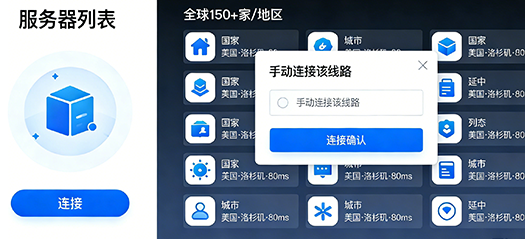
Auto Match or Manually Select Server Node

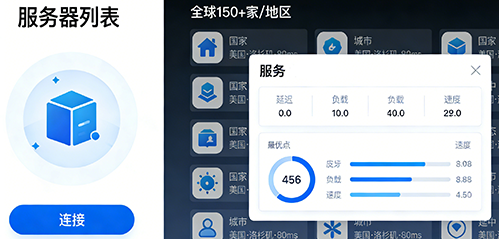
Show server node list with global nodes in many countries/regions, displaying latency, speed, and load.
Search bar and region filter at the top. Manually select nodes or auto-pick the best one with one click.
Step 3
04

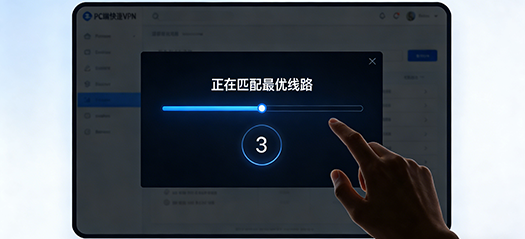
Tap One-Click Connect & Use Safely

Show main interface with a prominent, large circular "One-Click Connect" button.
After clicking, button shows connecting status, then connected status with IP, upload/download speed. Bottom text: Connection successful, browse safely, enjoy global network.
Advantages

8 Core Advantages for Secure Internet

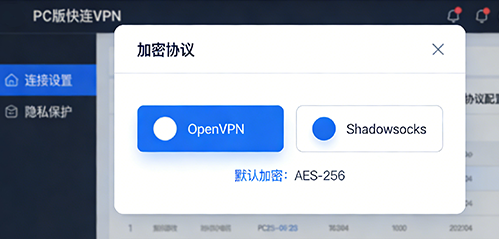
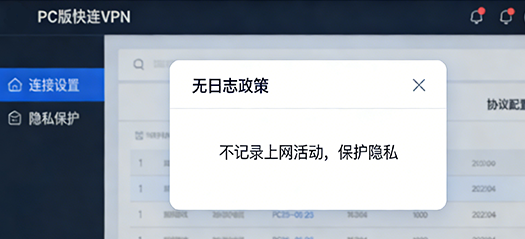
Wide global server coverage, ultra-fast & stable connection, support Smart/Global dual modes, one account for multiple devices, AES-256 advanced encryption, strict no-log privacy policy, one-click auto connection, auto network repair for issues.

Get Started Now
Effect 3
Effect 4
Lucy Avatar
Quote Effect

I often use VPN for work, and lets-VPN fully meets my needs. Stable connection without disconnections, multi-device login without speed loss, responsive customer support, efficient problem-solving, great overall experience.

Lucy Marketing Director
Mia Avatar
Quote Effect

lets-VPN is really easy to use, clean interface, simple operation. One-click auto-connect to the best server, no manual setup needed. Smooth browsing and video loading, very satisfied with stability and speed.

Mia Photography Enthusiast
Zoe Avatar
Quote Effect

Compared with many VPNs, lets-VPN is my favorite. Stable speed even at peak hours, low latency, perfect for HD videos and gaming. Great privacy protection, I feel completely safe using it.

Zoe Sales
4.9

(5k+) User Reviews

Previous
Next
  • Is lets-VPN fast?
    Yes, it connects in seconds with smart optimal nodes. Smooth for video streaming and work without lag.
  • Is lets-VPN stable? Does it disconnect often?
    Extremely stable, no disconnections all day. Stays smooth even during peak hours, reliable for long-term use.
  • Is it complicated to use? Can beginners use it easily?
    Super easy to use. One‑click connection in the app, no complex settings. Suitable for all users.
  • Is lets-VPN safe? Will my privacy be leaked?
    Professional encryption protects you. No online activity logs. Safe to use even on public Wi‑Fi.
  • Can I use it on phone and computer at the same time?
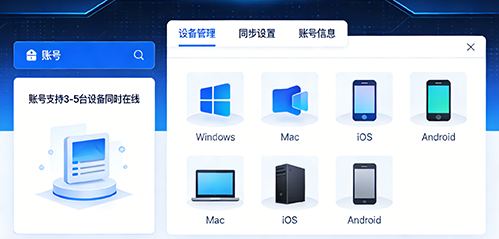
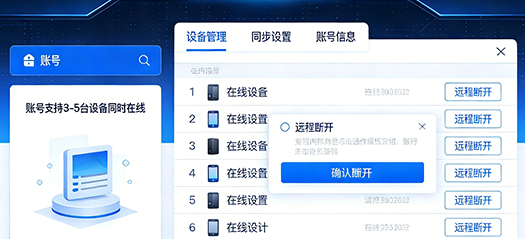
    Supports multi‑device login. Works smoothly on mobile, PC and tablet.
FAQ Background

Contact Us

Phone

400-888-8888

Address

Area A, 2nd Floor, Building 4, No.12 Meifeng Road, Hongshan Town, Gulou District, Fuzhou City, Fujian Province

Contact Background